, 5 min read
How to track job costs in construction
Job costing means comparing what a job was bid to cost against what it is actually costing, line by line, while there is still time to do something about it.
Job costing that starts from the bid you won.
Job costing fails when the budget and the costs are kept in different places under different codes. In BidDig the awarded bid is the budget, and every cost is recorded against one of its line items.
60-day free trial. No credit card required.
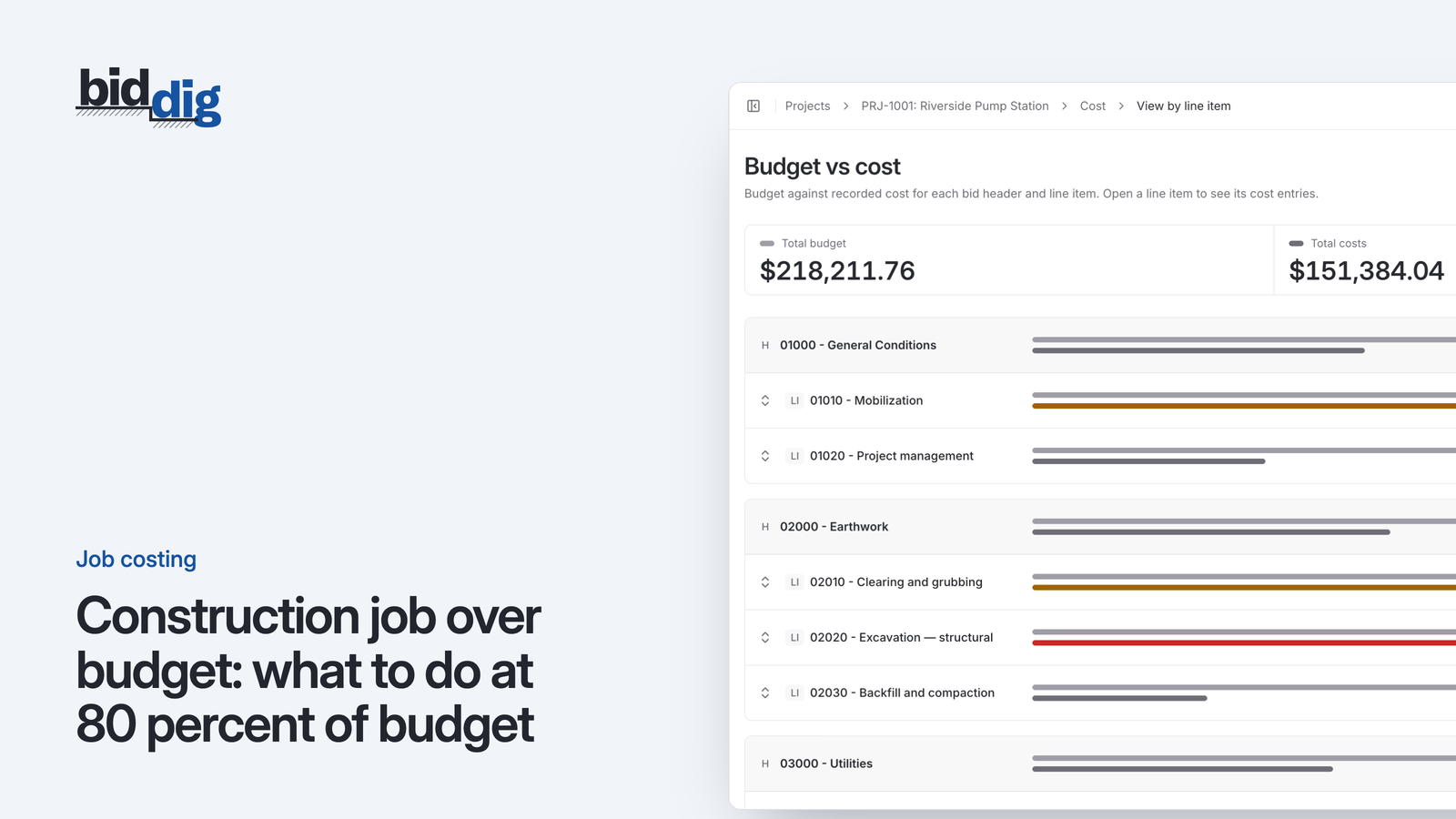
See each line item with its budget, what has been spent and how much is left. Lines turn orange at 80% of budget and red when they go over.
More on job costing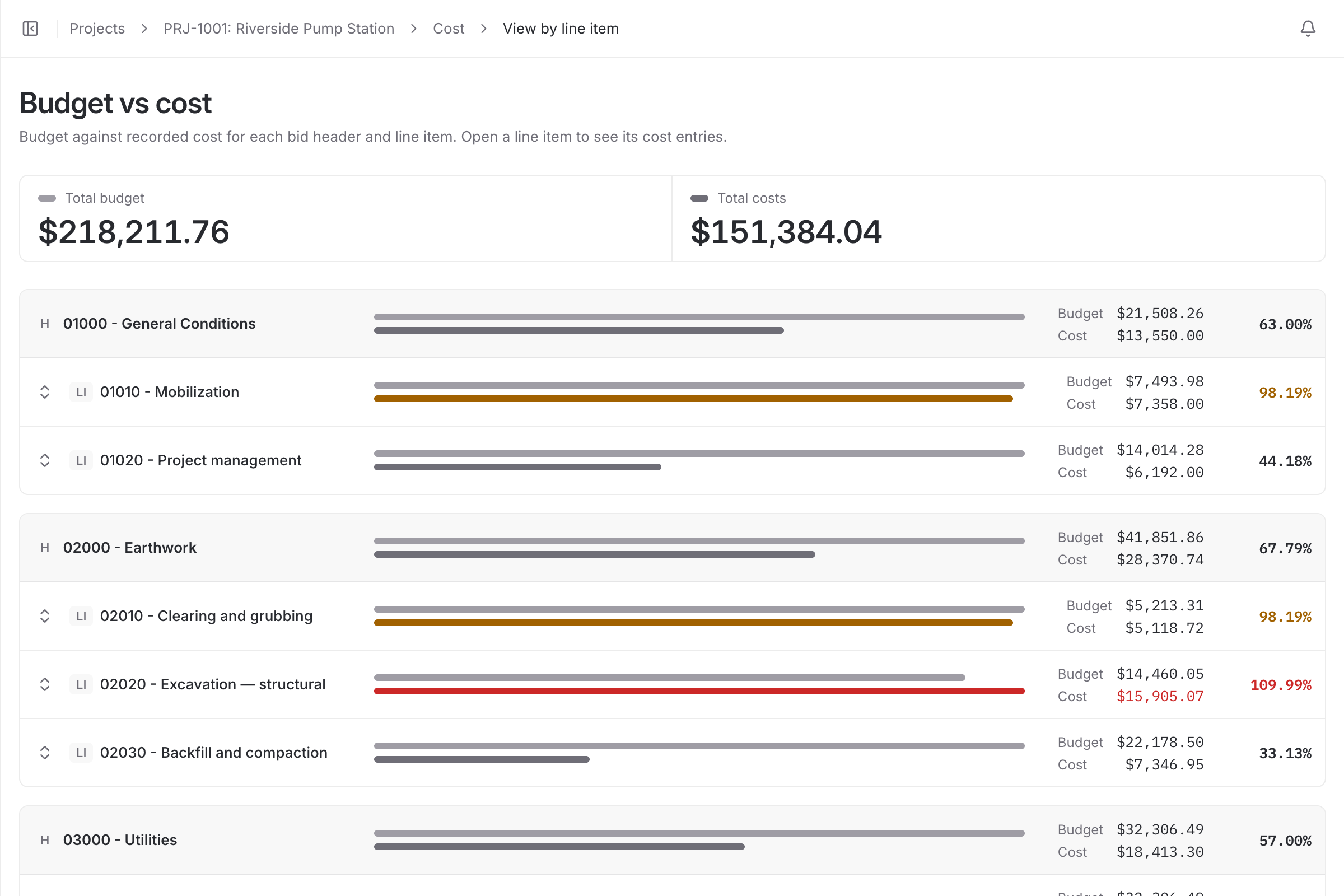
Job costing software compares what each part of a job was expected to cost with what it is costing, while the job is still running. The useful answer is not "the job is at $412,000". It is "the storm drain line is at 92% of its budget and half the pipe is in the ground".
That comparison needs two things to line up: a budget broken into pieces, and costs recorded against those same pieces. Most job costing problems are one of those two things missing.
Accounting software is built to pay bills and close the books. Its codes are set up for the accountant, not for the estimator, so the costs are real but they are filed under headings that do not match how the job was bid. Someone has to map one to the other by hand, and that someone is usually busy.
The timing is also wrong. A cost shows up when the invoice is entered, and labor shows up after payroll runs. By the time the numbers are complete the work they describe is finished.
When a bid is awarded, its line items become the lines you track. The cost you estimated for each one, before markup, is its budget. There is no second set of codes to build.
Costs are then recorded against a line item as material, labor, equipment, subcontractor or miscellaneous. Labor and equipment arrive from the timesheet. The job shows budget against cost by cost type and by line item, and a line turns orange from 80% of its budget and red once it passes 100%.
BidDig is not an accounting system and does not run payroll or send invoices. It answers one question those systems answer late: is this job making the money it was bid to make. Your books stay where they are.
Foremen and superintendents enter hours against the project. Those hours are job costs as soon as they are saved, without anyone re-entering a timesheet.
More on timesheets and crews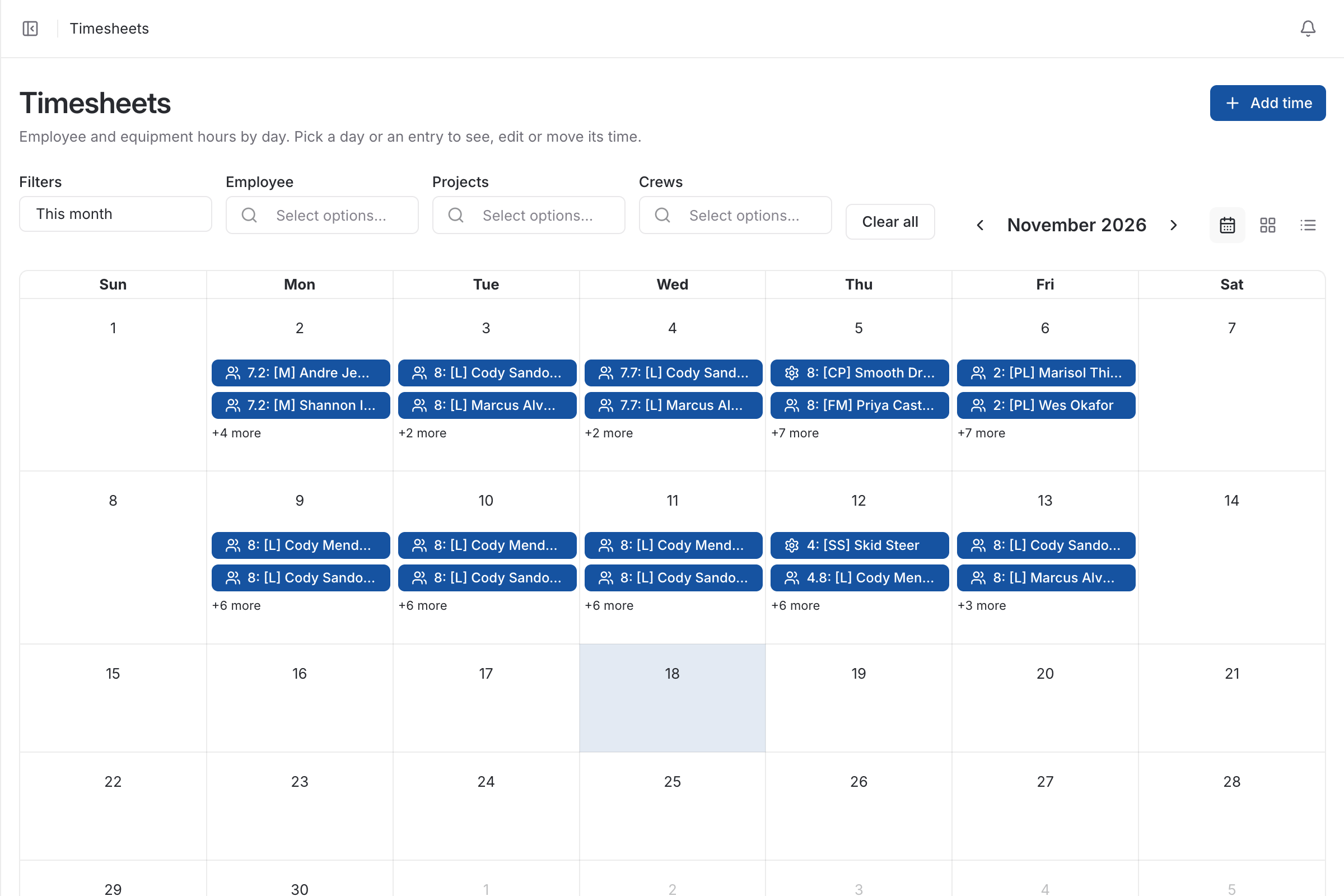
Four built-in reports cover completed jobs, awarded jobs, progress and any single project, each exported to PDF or CSV.
More on reports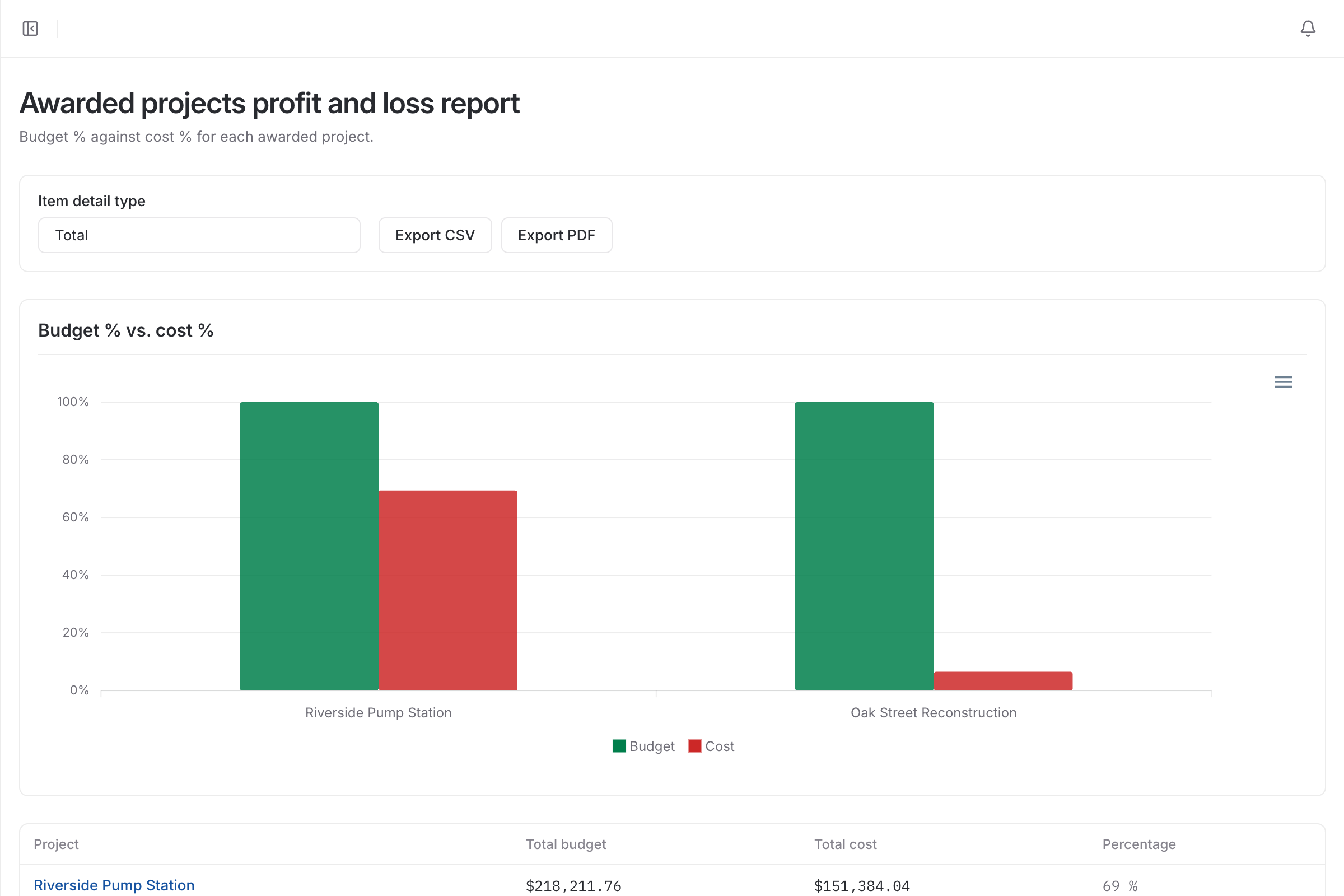
| With a spreadsheet | With BidDig | |
|---|---|---|
| The budget | Retyped from the estimate into another tool, if at all | The awarded bid, line for line |
| Cost codes | Accounting codes that do not match the bid | Costs recorded against the bid’s own line items |
| Labor cost | Known after payroll, weeks behind the work | Job cost when the hours are saved |
| Finding an overrun | At closeout | Orange at 80% of a line’s budget, red above 100% |
| Profit and loss by job | Built by hand in a spreadsheet | Four built-in reports, exported to PDF or CSV |
From the awarded bid. Its line items become the lines you track, and the cost you estimated for each one, before markup, is its budget.
Material, labor, equipment, subcontractor and miscellaneous costs, each against the line item it was spent on.
Yes. Superintendents and foremen can enter labor and equipment hours on the projects they are assigned to. They do not see hourly rates or budget vs actual.
, 5 min read
Job costing means comparing what a job was bid to cost against what it is actually costing, line by line, while there is still time to do something about it.
, 5 min read
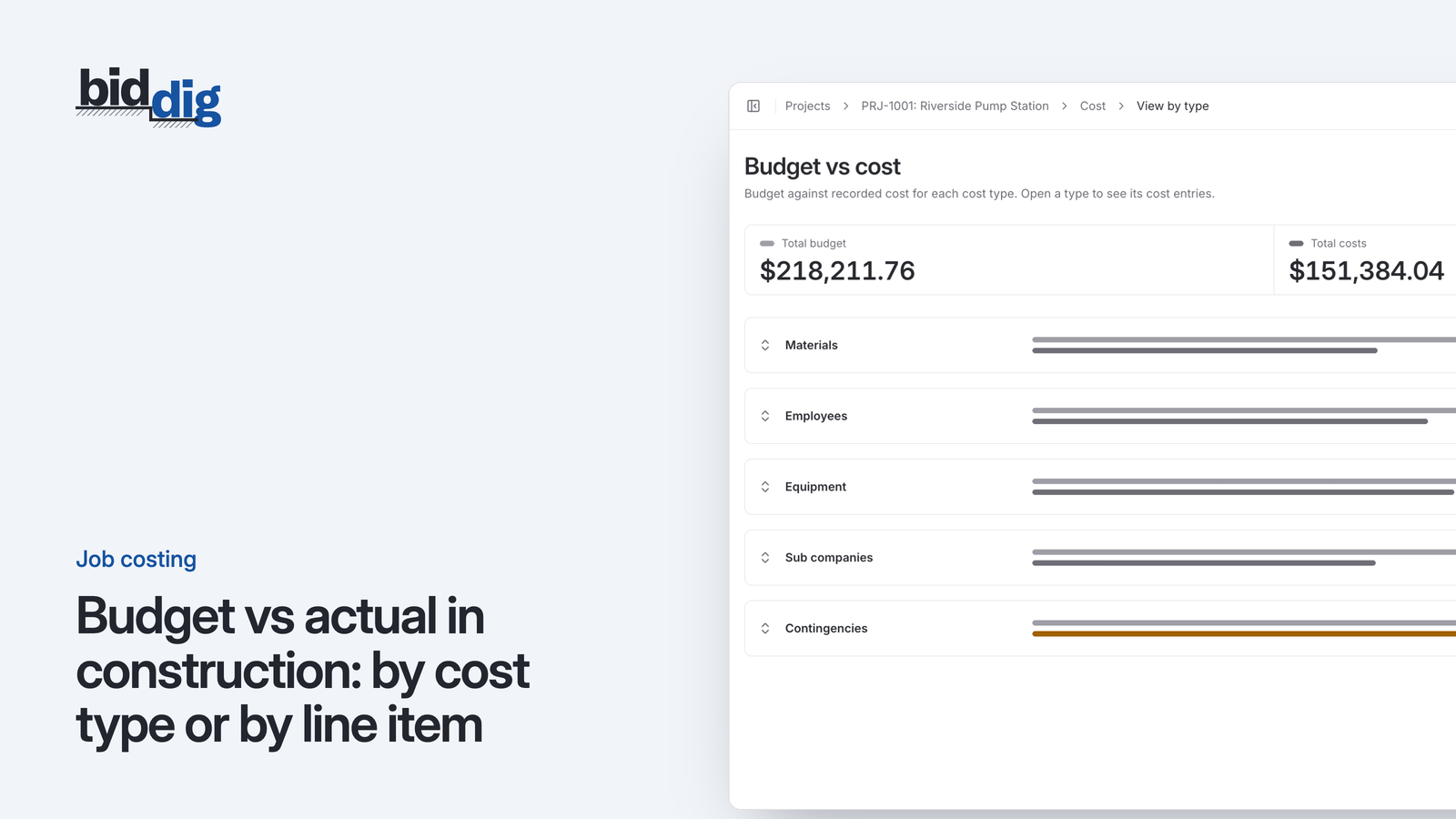
The same job costs can be cut two ways. One tells you what kind of money is going out, the other tells you which piece of work is taking it. You need both, and here is why.
, 5 min read
A line at 80 percent of its budget is either nearly finished or in trouble. A few questions tell you which, and what you can still do about it.
, 6 min read
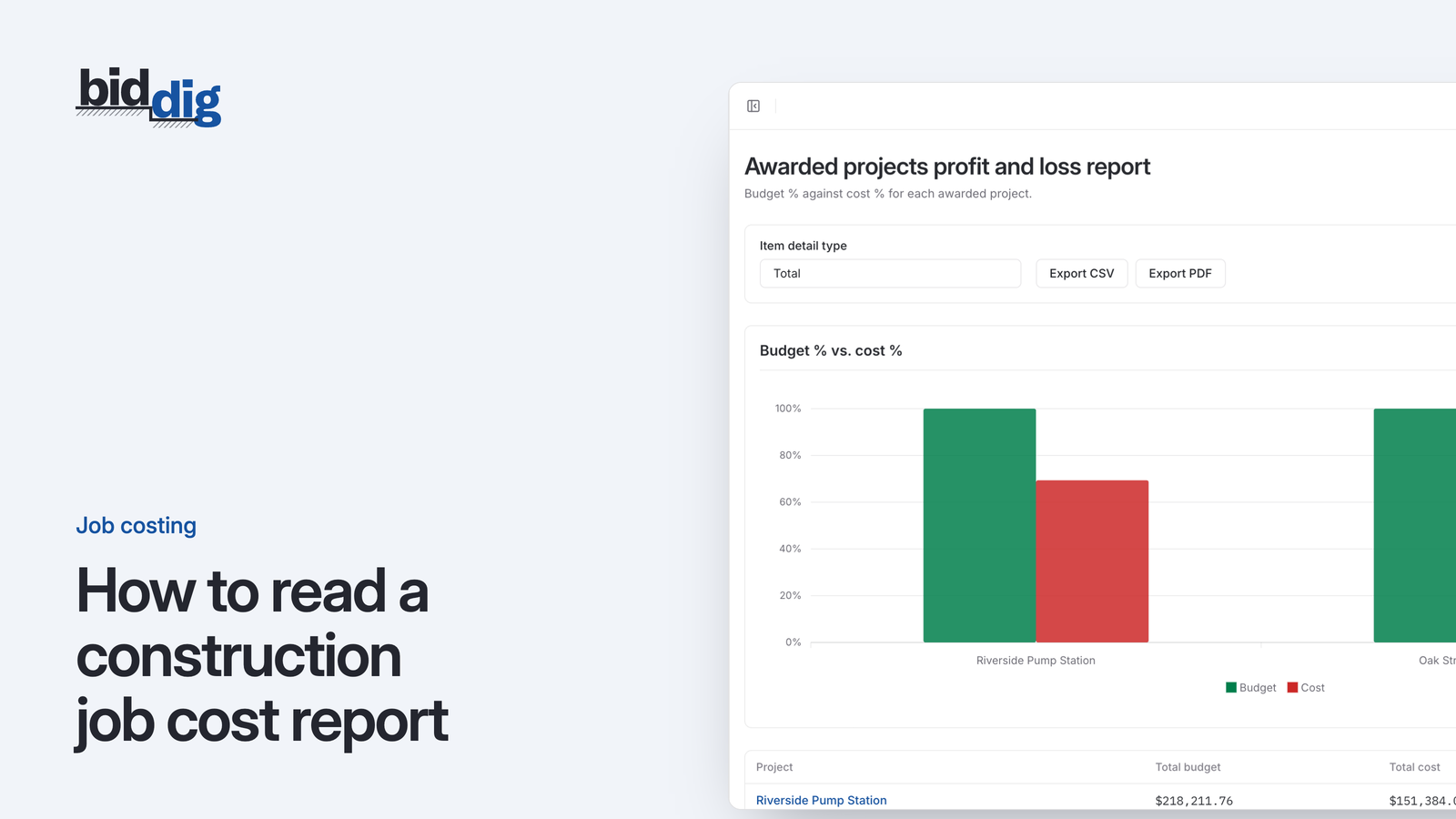
A job cost report is four columns per line: budget, actual, remaining and percent used. Here is an example report read line by line, and what to do about what each line shows.
, 5 min read
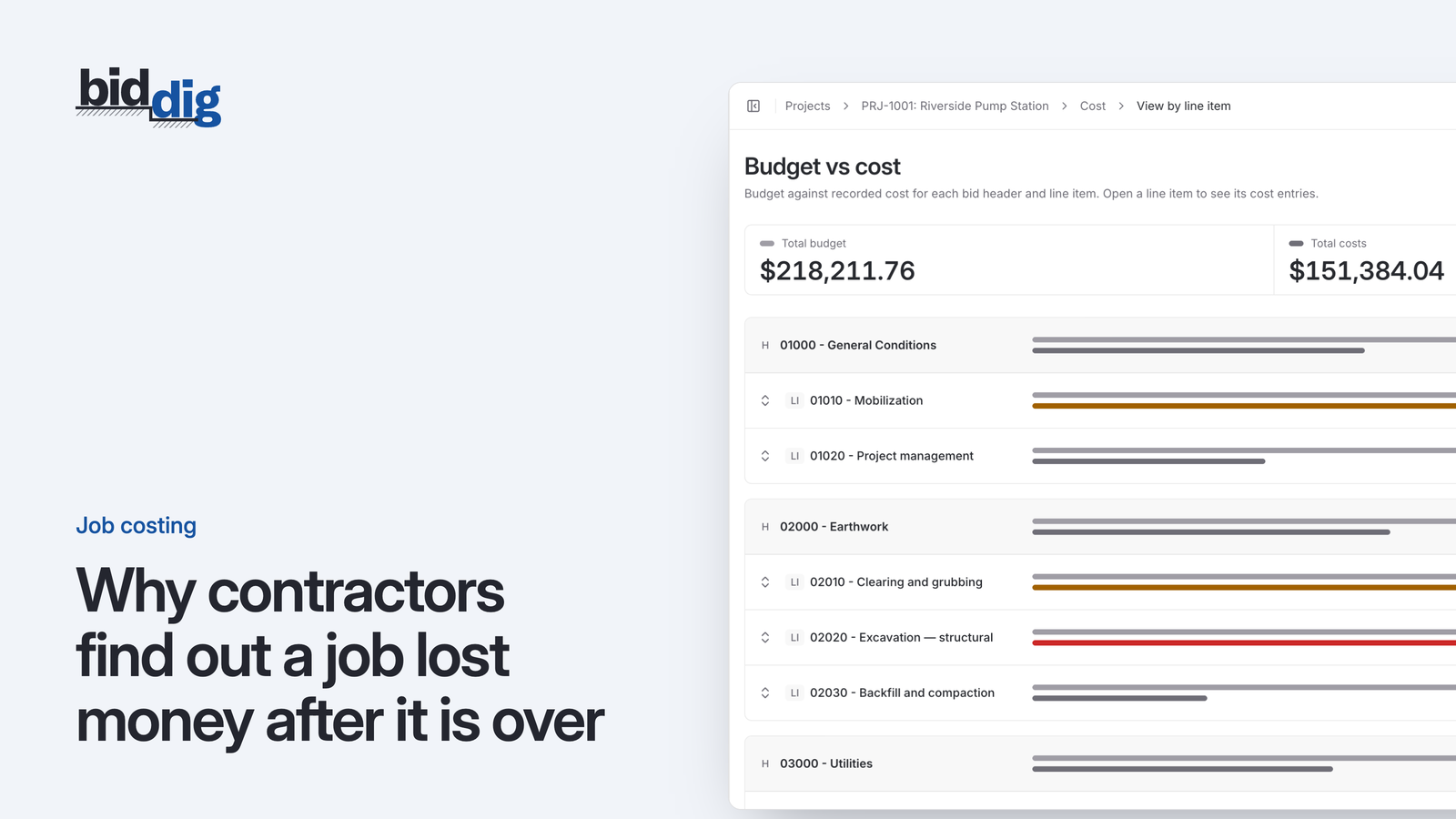
The bid lives in one place, the costs in another, under different names and on a different schedule. That gap is why the bad news arrives when nothing can be done about it.
, 5 min read
A job cost report nobody reads changes nothing. A short standing meeting each week, with a fixed order and a short list of decisions, is what turns the numbers into action.
Set up your catalog, build a bid and send the proposal. Then watch the job against the bid as the costs come in.
60-day free trial. No credit card required.