, 5 min read
Lump sum vs unit price bids: how much to show the customer
The same estimate can go out as one number or as a page of quantities and rates. Which one you send changes who carries the risk and what the customer argues about.
Send the proposal from the bid, and know it arrived.
Turn a finished bid into a PDF proposal in the format the customer expects, email it from the project, and see whether it was delivered and viewed.
60-day free trial. No credit card required.
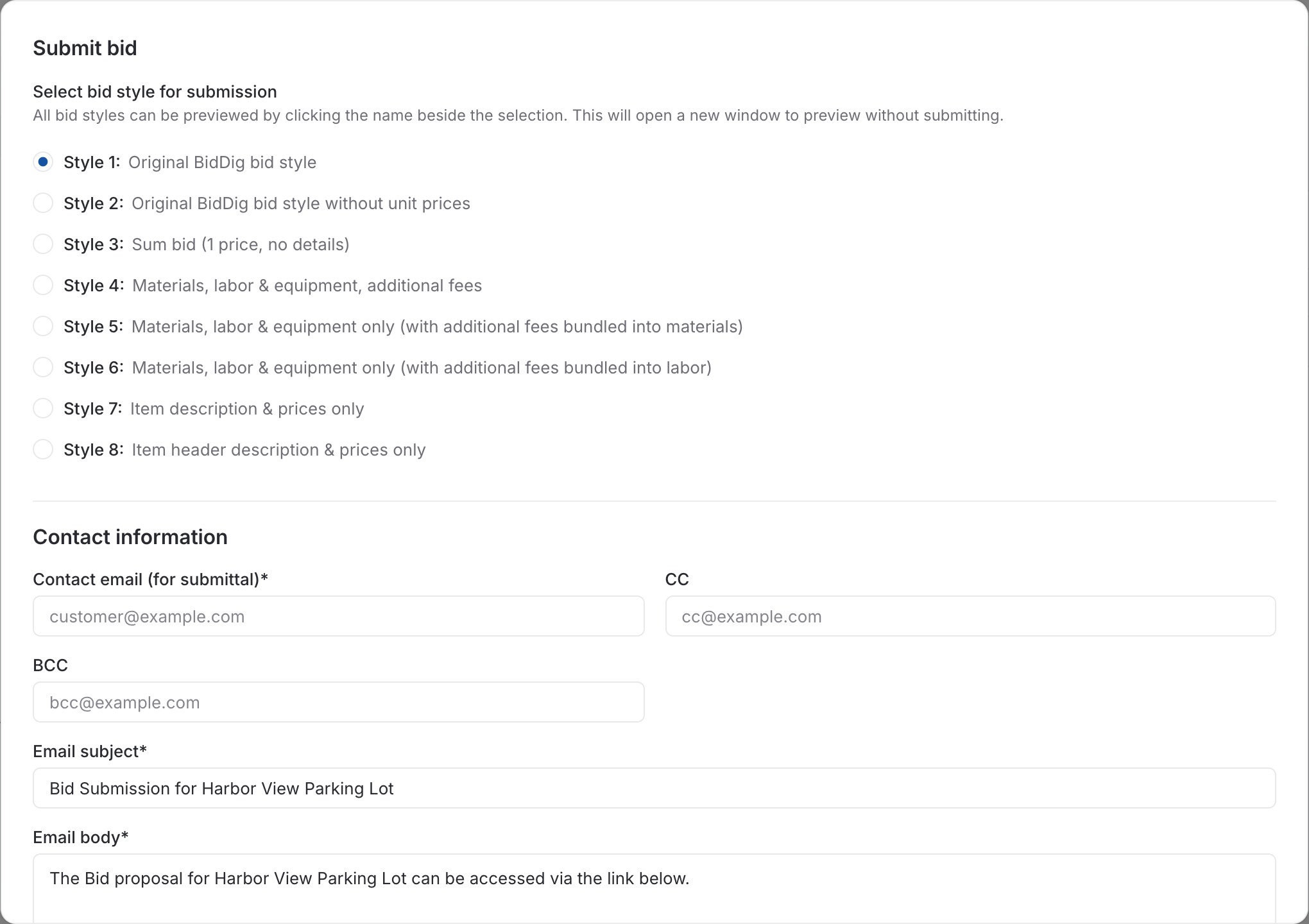
The estimate is finished, and then the real work starts: copying totals into a proposal template, hiding the columns the customer should not see, exporting, attaching, sending. A week later nobody remembers which version went out or whether it was ever looked at.
Choose how much the customer sees when you send. The same bid can go out as a lump sum, as prices only, or broken out by materials, labor and equipment.
Keep your standard exclusions, qualifications and acceptance wording as reusable text and add them to a bid in a couple of clicks.
Email the proposal from the project, with copies to whoever needs one. The bid then shows whether the email was sent, whether it was delivered, and whether the customer followed the link to the proposal.
, 5 min read
The same estimate can go out as one number or as a page of quantities and rates. Which one you send changes who carries the risk and what the customer argues about.
, 5 min read
The price says what the job costs. The exclusions and qualifications say what the price covers. Vague ones are the usual start of an argument about who pays for extra work.
, 6 min read
A bid is a cost build-up with markup on top. Here are the steps in order, a worked line item, and the places where bids usually go wrong.
This is one part of BidDig. For how the parts work together, see Construction bidding software.
Set up your catalog, build a bid and send the proposal. Then watch the job against the bid as the costs come in.
60-day free trial. No credit card required.